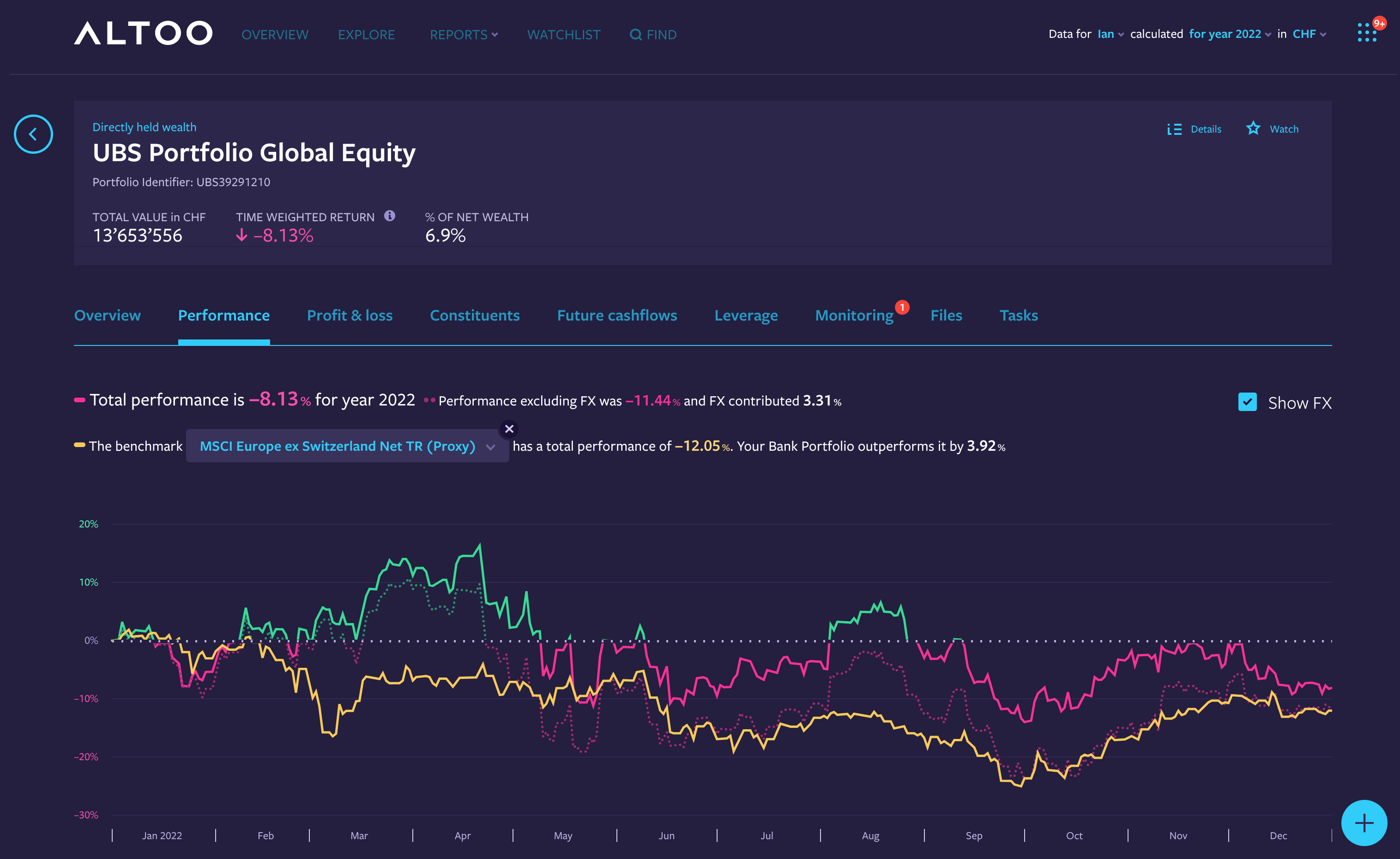
¶ Add a Benchmark
You can add benchmarks to any wealth item on your Altoo Wealth Platform.
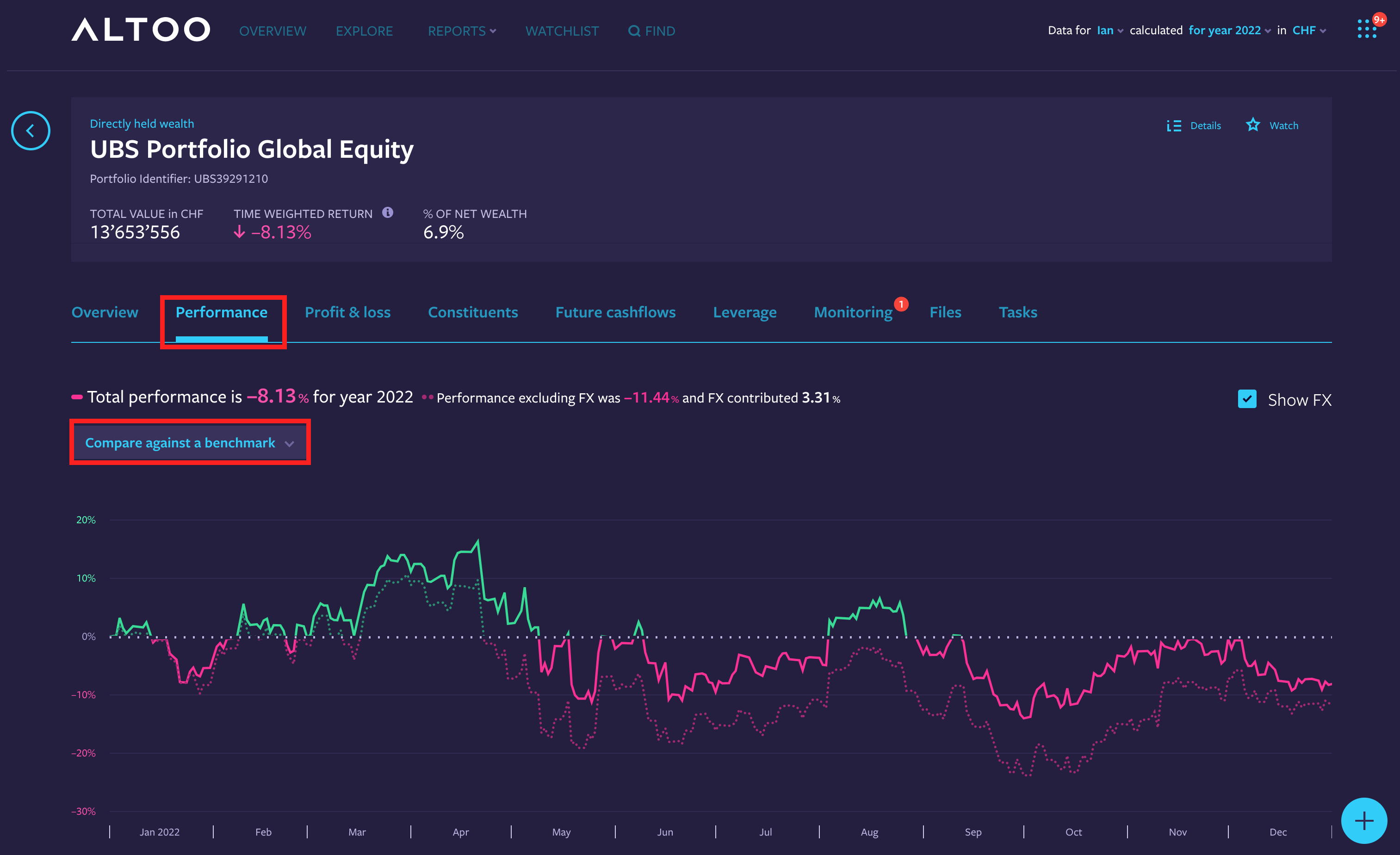
- Select Performance tab
- Select Compare against a benchmark
You will find different options to choose from; market indices, individual assets, or custom benchmarks

- Select option: “Market indices”, “Instrument by identifier”, “An item in your wealth”, or “A custom benchmark”
- Search for the benchmark by name or identifier
- Select "Always display this benchmark here" (if applicable)
- Click “Manage your custom benchmarks” (if applicable, only for option “A custom benchmark”) to create or modify a custom benchmark.
Compare your wealth item with the benchmark.